
Find your race's GPX file and add it
The course file (GPX) lets ALTiDUX plan every section of your race: its climbs, its descents and the pace for each. Most organisers put it on the race's website.
You need
- ALTiDUX PRO or its free week: reading a new course from its GPX file is part of PRO. Without PRO, a plan is built from the race's distance and climb.
Open the course screen: in the plan builder, tap Import Race GPX. For a plan you already have: on the Plan tab, tap Upcoming race, Manage plan, Change goal, then Choose New Course and Import GPX.
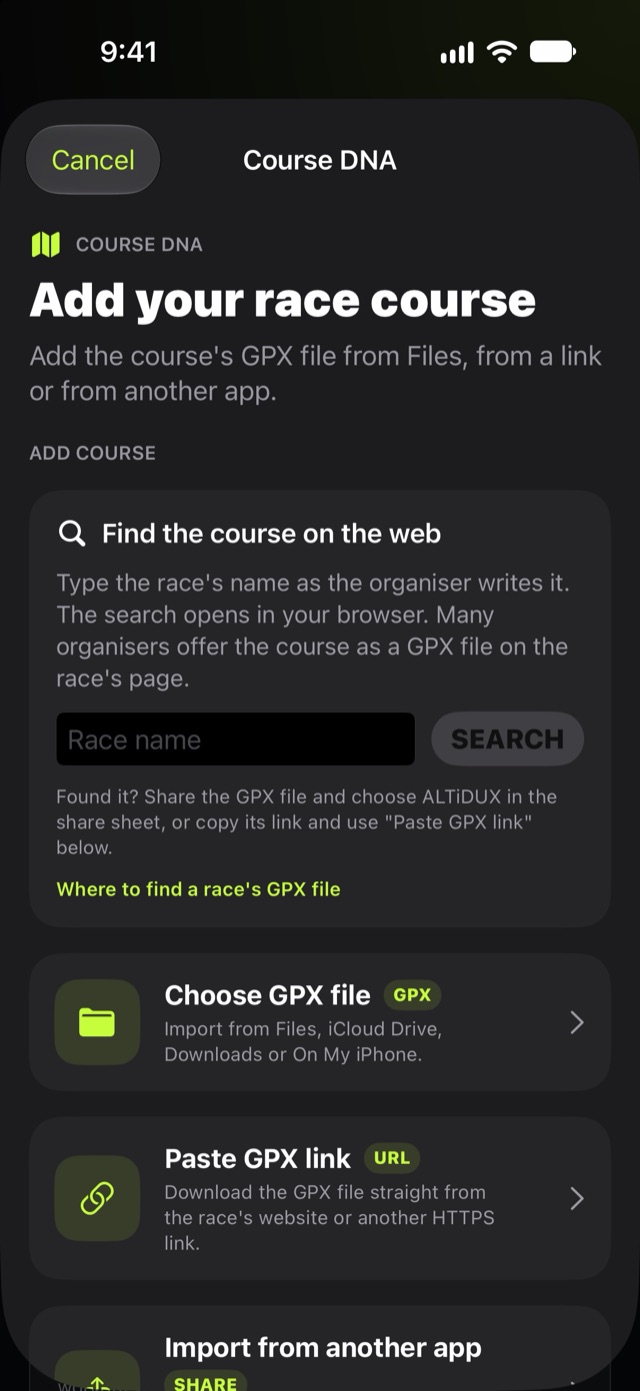
Under Find the course on the web, type the race's name as the organiser writes it and tap Search. Your browser opens a search for the race's GPX file.
On the race's page, download the GPX file. Share it and choose ALTiDUX in the share sheet (on Android: Open with or Share, then ALTiDUX).
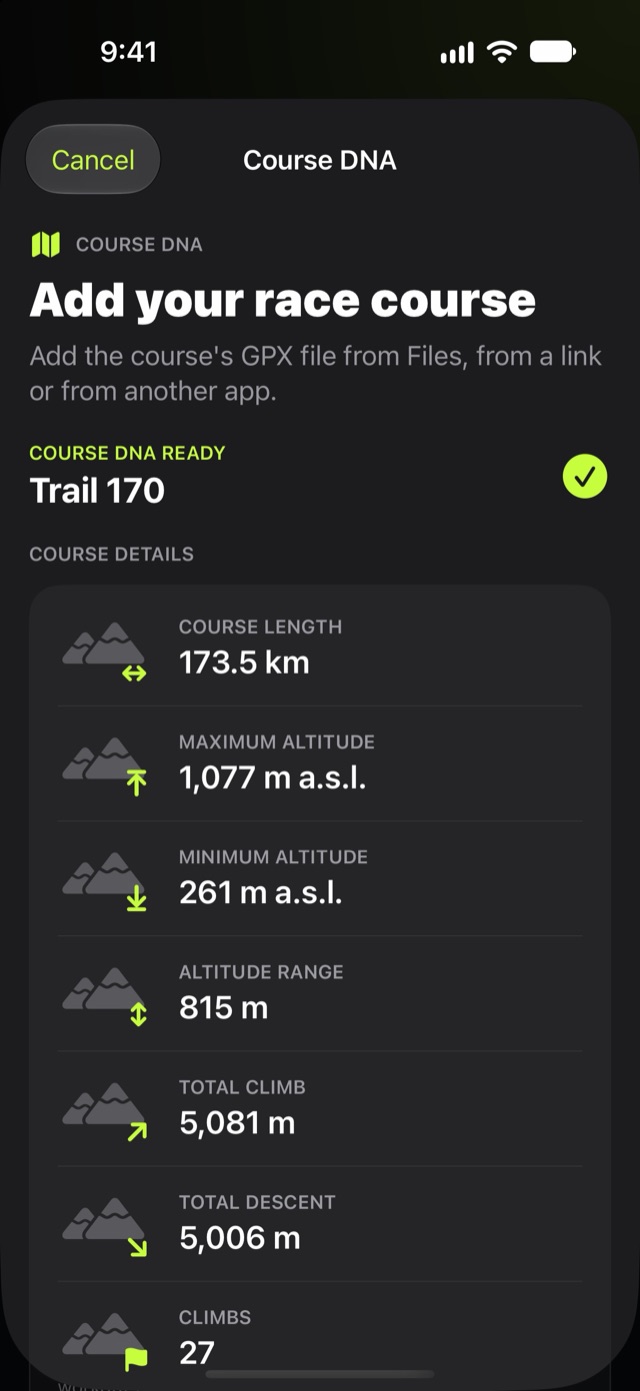
ALTiDUX reads the course and shows its Course DNA: distance, climb, terrain and the biggest climbs. Tap Use this course.
Back in the plan builder, set your race date and build the plan: Build a plan for your race.
Good to know
- Have the file already? Tap Choose GPX File and pick it in Files, iCloud Drive or Downloads. Have a link to the file itself? Tap Paste GPX Link; the link must start with https.
- A race of several laps of one loop? When the file starts and ends at the same place, ALTiDUX asks whether it is the whole race. Tap I run it several times and set the laps of your race: the plan, the race plan and the pilot are then for the whole race.
- If you open a GPX file from Safari, Files or Mail while no course screen is open, ALTiDUX offers Build a plan for this race or Not now. Not now does not keep the file: open it again when you are ready.
- No GPX on the race's page? Look for “course”, “route” or “track”, or ask the organiser. Without the file, tap No file? Enter distance and climb in the plan builder.
Related guides
Another question? See Help or write to hello@altidux.com.