
Build a plan for your race
The plan builder asks for your course, your goal, your dates and the days you can run, and builds every week up to race day.
You need
- A few minutes, and your race's GPX file if you have it: how to find it.
Tap Set your race on Today. The first time you open the app, the plan builder opens by itself once you have filled in your profile. Have a plan already? On the Plan tab, tap Upcoming race, Manage plan, then Change training plan.
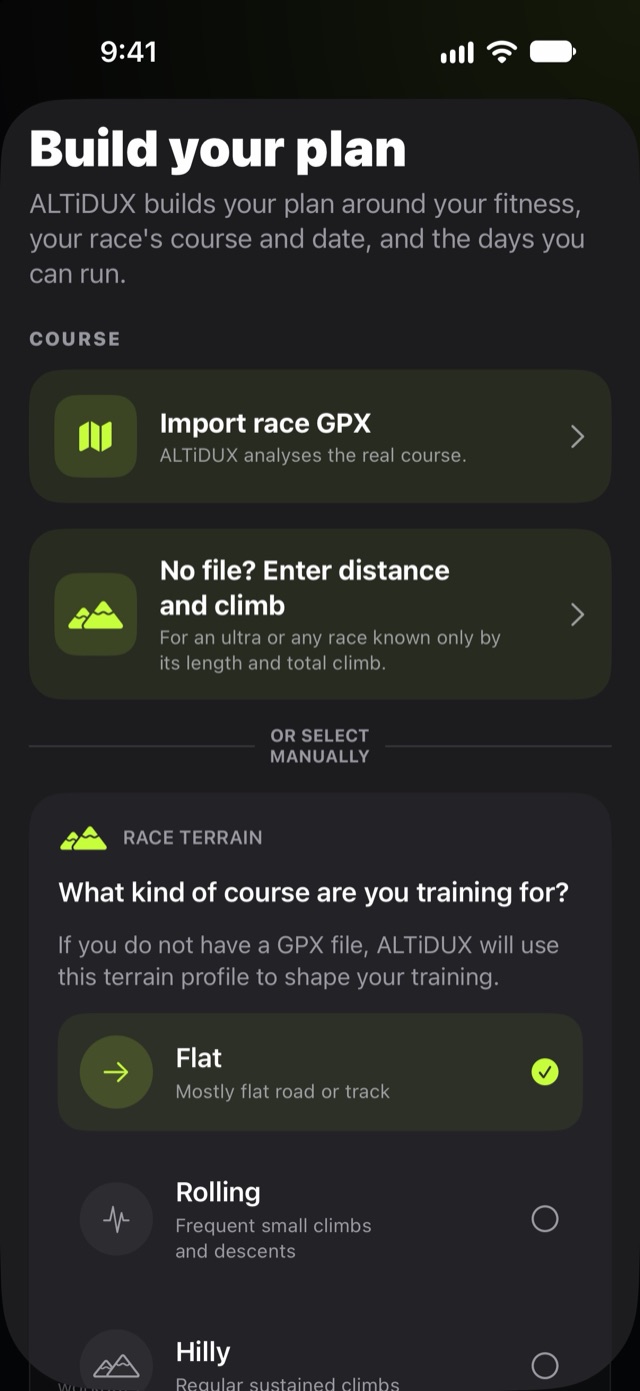
Under Course, tap Import Race GPX, or No file? Enter distance and climb, or choose the terrain yourself.
Under Goal, name the race if you like, then enter its distance and your target time. With a course, the distance is taken from the course and the target time is filled in from your fitness.
Under Dates, choose when the plan starts and the Race date. The app suggests how many weeks the plan should take.
Under Available running days, set each day to Run or Off, then choose your Preferred long run day.
Other races before the main one? Add them under Other races this season: Add other races to your season.
Tap Build my plan, look through the weeks under Your plan, then tap Use this plan.
Good to know
- The plan lists every workout as soon as it is built. With ALTiDUX PRO or its free week, the details (steps, paces, sending to a watch) are open for the workouts of the next 14 days. Without PRO, they are open only for the workouts of the plan's first 7 days.
- A race longer than a marathon: the plan builder also asks for the longest race you have finished and the race's time limit.
- Building a new plan in place of the old one keeps your runs. Only the old plan itself is removed. To change the race and keep your progress, use Change goal instead.
Related guides
Another question? See Help or write to hello@altidux.com.