
Use the race pilot on race day
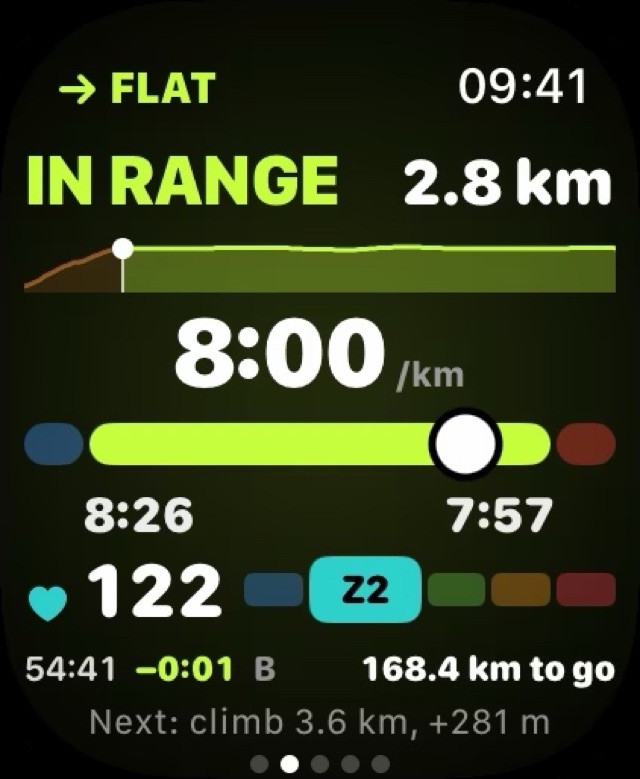
On race day the race pilot on your watch shows where you are against your plan on each section of the course, by your pace where the ground is runnable and by your heart rate on the long climbs, and marks the steep descents. The words are information: you decide how hard to run.
You need
- ALTiDUX PRO or its free week.
- Your race's course from its GPX file: how to add it.
- The iPhone app, and ALTiDUX on your Apple Watch.
- Instead of Apple Watch, you can use ALTiDUX on your Garmin watch, from the Connect IQ Store, with the iPhone or Android app: Garmin and COROS.
Before the race, open the race plan: on the Plan tab, tap Upcoming race, then Race plan.
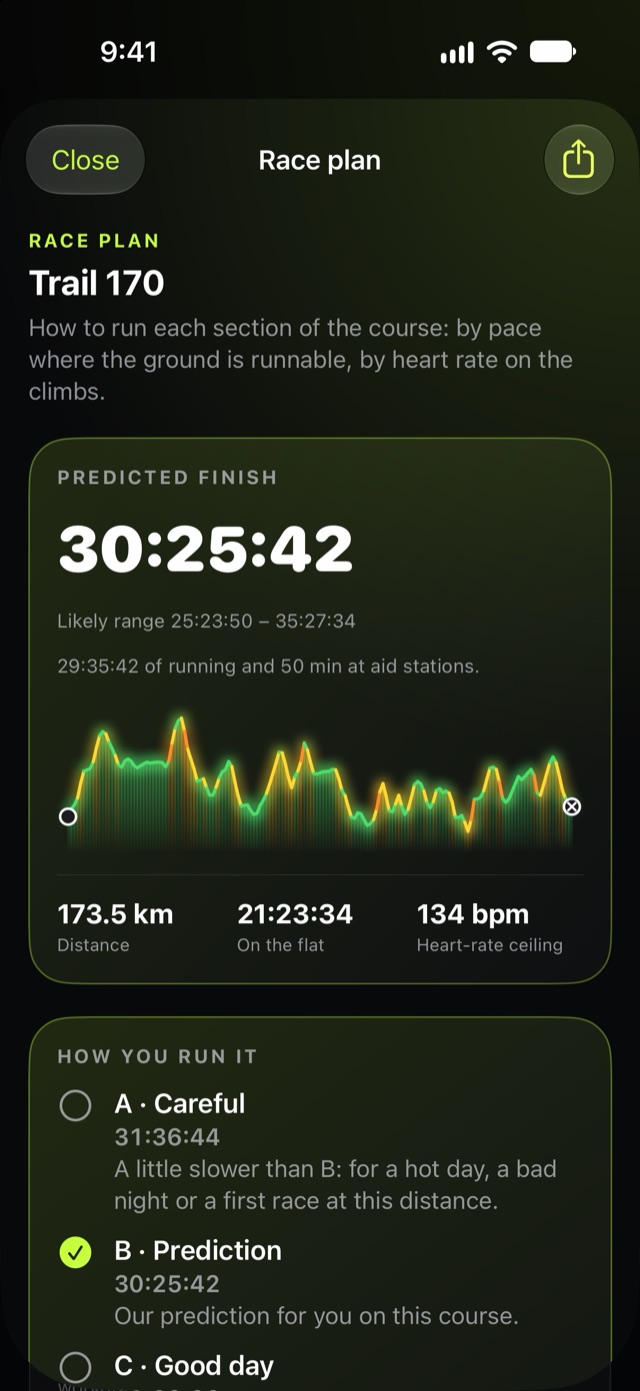
Under How you run it, pick A, B or C: B is our prediction, or your own time once you set one. Check the aid stations, then tap Send to the watch. The first time, the app asks whether family and friends should be able to follow this race: tap Set up live tracking to go to Live tracking in the race plan, where you can read what is sent and switch it on, or tap Not for this race. In the last 7 days before the race, the race plan also goes to the watch by itself.
Charge the watch. On race day ALTiDUX on the watch shows Race today with your course, and warns you if the battery may not last for the race plan.
At the start line, open ALTiDUX on the watch. Tap Start race when the race starts.
On every section of the course the watch shows the ground and where you are in your range, by your pace or, on the long climbs, by your heart rate: IN RANGE, BELOW RANGE or ABOVE RANGE, and EASE OFF when your heart rate is above the ceiling in your plan. What you do with it is your call.
From 50 m before a turn, a small arrow and the metres to it show at the top of the screen. At 50 m the watch taps your wrist, differently for left and right, and taps again with a sound at the turn. Where the arrow alone could mislead, such as a junction you pass twice, the watch shows a picture of the junction with the course's way lit. So that the app can find the junctions, open the race plan with your phone online before the race.
If you leave the course, the watch says OFF THE COURSE. If you run the course in the wrong direction, it says WRONG WAY. At an aid station, tap TAP TO STOP when it appears on the pilot screen, or swipe to the controls and tap Stop here; on Apple Watch Ultra, the Action button does the same. You see how you stand against your race plan and the race's time limit.
After the finish, end the race on the watch, and add your result in the app.
Good to know
- The pilot reads your pace, heart rate and the course, not how you feel. If something hurts or feels wrong, ease off or stop, whatever the watch says.
- The watch finds you on the course by GPS, so the sections stay in the right place even when the watch's measured distance drifts.
- On Android, the race pilot and live tracking work with ALTiDUX on a Garmin watch.
Related guides
Another question? See Help or write to hello@altidux.com.